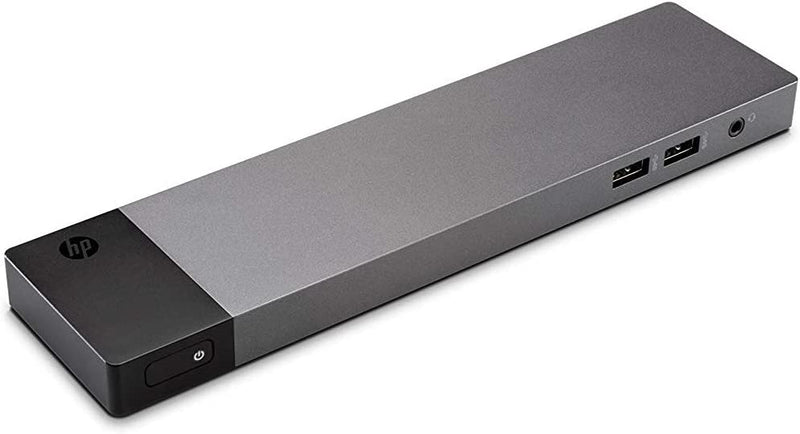
In the modern workspace, maximizing productivity is crucial. For professionals who rely on technology, a seamless integration of devices is essential. One solution that has gained popularity is the use of a Microsoft Surface Laptop Docking Station. This accessory transforms a laptop into a powerful desktop workstation, enhancing efficiency and productivity.
The Benefits of Using a Docking Station
Docking stations offer several advantages that cater to a variety of user needs. Here are some compelling reasons to consider integrating one into your workspace:
- Expanded Connectivity: Docking stations provide additional ports, including USB, HDMI, and Ethernet, allowing for the connection of multiple peripherals.
- Enhanced Ergonomics: By connecting to external monitors, users can enjoy a dual or even triple monitor setup, reducing strain and improving posture.
- Seamless Transition: Easily switch between mobile and stationary work environments without the hassle of disconnecting and reconnecting cables.
- Increased Productivity: More screen real estate and connected devices mean more tasks can be done simultaneously, boosting overall efficiency.
Setting Up Your Microsoft Surface Laptop Docking Station
Initial Setup
Setting up a docking station is a straightforward process that can significantly improve your workspace setup. Follow these steps for an optimal configuration:
- Place the docking station on your desk where it is easily accessible.
- Connect the docking station to your Microsoft Surface Laptop using the supplied cable.
- Plug in peripherals such as a mouse, keyboard, and external drives to the docking station.
- Connect your monitors via HDMI or DisplayPort for a multi-display setup.
- Power on the docking station, ensuring all connected devices are recognized.
Troubleshooting Common Issues
While setting up, some users may encounter issues. Here are some common problems and their solutions:
- Devices Not Recognized: Ensure all cables are securely connected and the docking station is powered on.
- Display Issues: Check monitor settings and ensure the correct input source is selected.
- Connectivity Problems: Verify that the docking station firmware is up to date.
Choosing the Right Docking Station
When selecting a docking station, consider the following factors to ensure it meets your needs:
- Port Availability: Evaluate the number and types of ports available to match your peripheral requirements.
- Compatibility: Ensure the docking station is compatible with your specific Surface Laptop model.
- Power Delivery: Check if the docking station can supply power to your laptop and connected devices.
- Design and Size: Consider the form factor and how it will fit into your workspace setup.
Conclusion
Investing in a Microsoft Surface Laptop Docking Station can significantly enhance productivity by providing a seamless transition between mobile and desktop work environments. By understanding the benefits, setup process, and selection criteria, users can create an efficient workspace that caters to their professional needs.